

What a gender swap is here
FlowPix has no gender swap filter. What it has is Quick Edit, which takes a picture you already have and redraws it from a description. To see a portrait drawn as the other gender you describe it, and you get back a new picture with the pose, the clothes and the background kept, and a new face.
That is quick and good for trying things, and it has one cost: the face is not kept. A gender swap changes the face on purpose, so the result is a new face of the other gender with some resemblance to the original, and not the same person. This page shows, on two invented portraits, what that looked like.
Read the result as a new drawing made from your picture. It is useful for characters and for fun, and it is not a picture of the real person. It does not decide anything about a person: it draws a picture from your words.
How to try it in FlowPix
Put the portrait on the canvas, select it and open Quick Edit in the picture toolbar. Describe the other gender and ask for the pose, the clothes and the background to stay the same, then press Run. The button shows the credits the run will cost before you press it.
The result comes back as a new picture and your original is not changed. If it is not what you wanted, change the description and run it again. Only upload photos of people you have the right to edit.
There is no selection to make and no slider. Quick Edit reads your description and the whole picture, so you say what you want in words and what must stay the same. Keep the part about the pose, the clothes and the background, because it is what asks the model to leave them alone.
The prompts we used
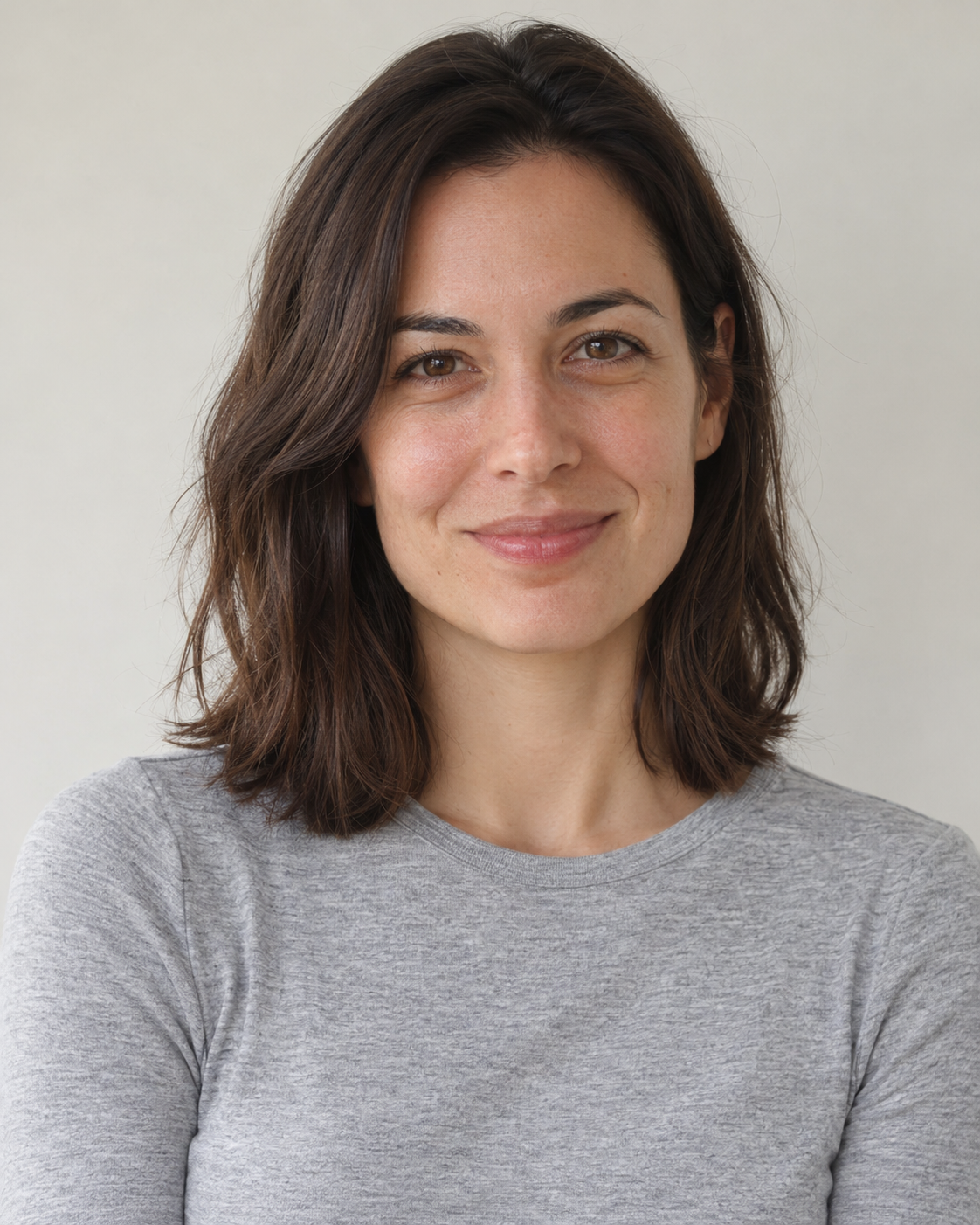
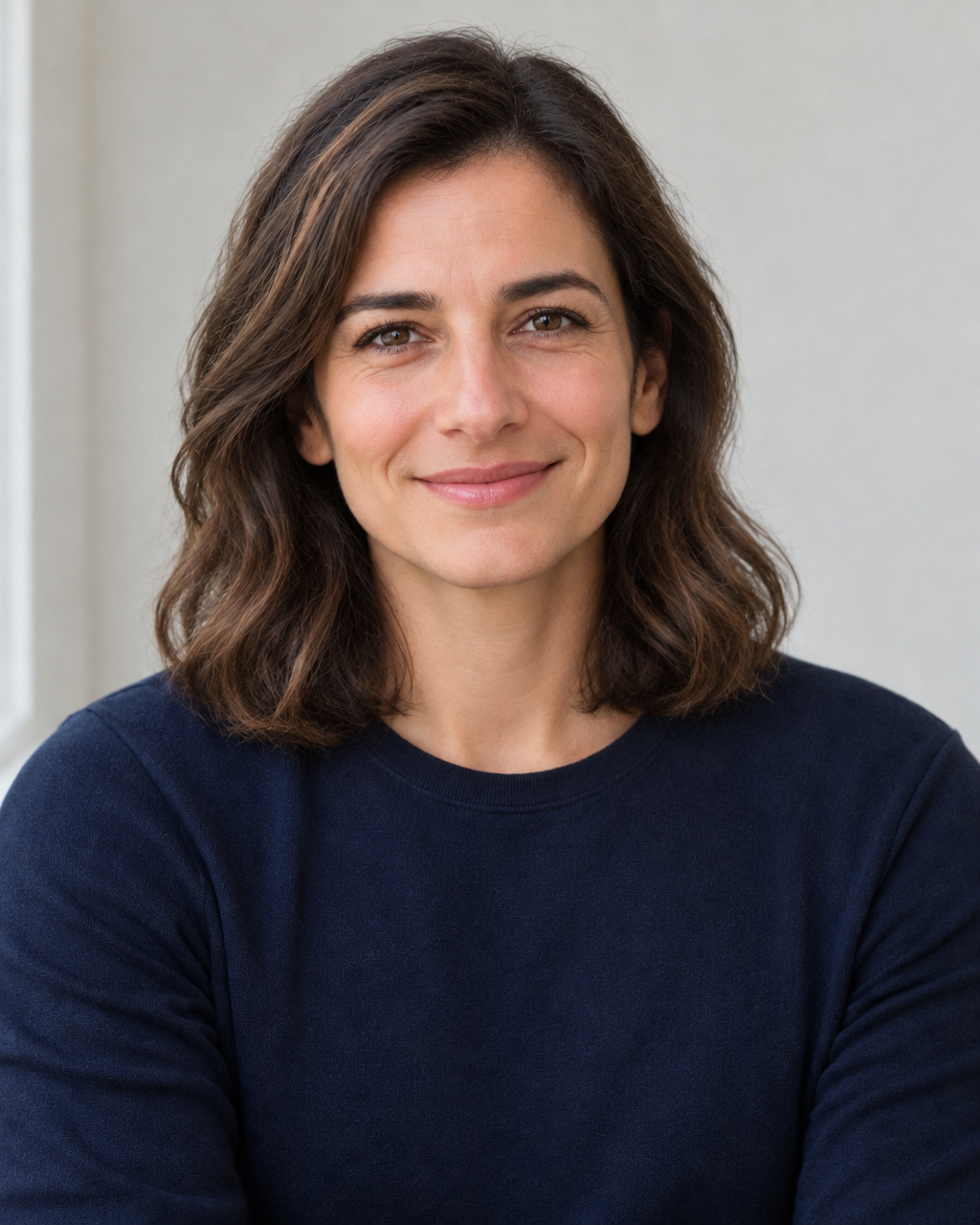
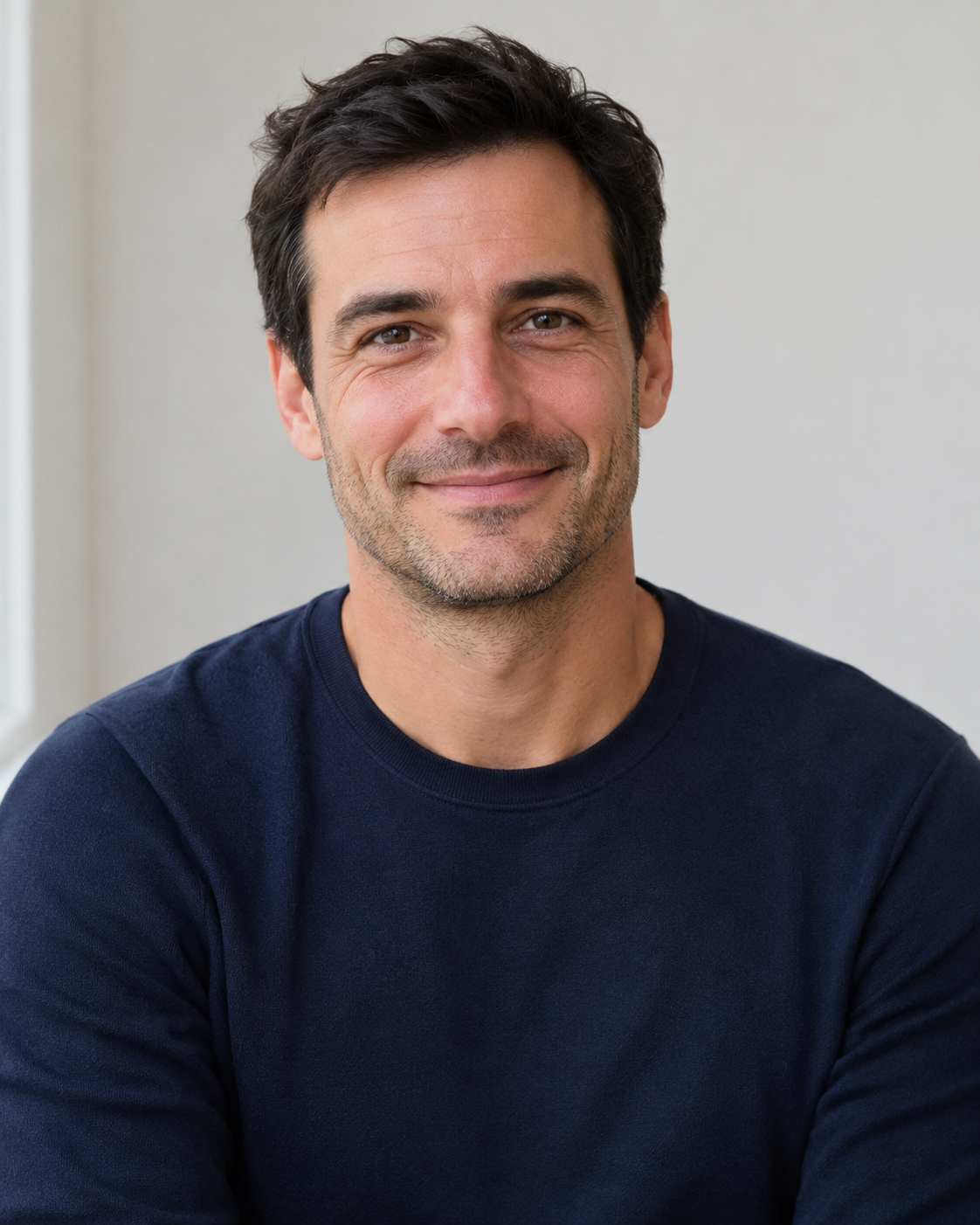
We tried one edit, one run each, on two invented portraits, a woman and a man, that we generated ourselves. The descriptions are below, so you can copy them and change the details. The two descriptions are not the same: each asks for the other gender from the one in the picture.
For the woman: "Change this person into a man, with a masculine face and short hair, keeping the same pose, clothes and background."
For the man: "Change this person into a woman, with a feminine face and shoulder-length hair, keeping the same pose, clothes and background."
What we saw
The woman came back as a man with short dark hair and some stubble, and the man came back as a woman with shoulder-length dark hair. In both cases the pose, the clothes and the background stayed close to the original. The faces were new: each had some resemblance to the person it came from, in the eyes and the brows, but at first glance neither was the same person. We judged this by eye, on two portraits, because no face recognition tool was used.
The table shows, on a scale from 0 to 255, how much each part of the picture differed from the original. The face differed much more than in the other edits we tried on the same portraits, which fits a new face, while the background at the sides changed very little and the clothes changed little. The results are about a thousand pixels wide, whatever the size of the original.
The numbers are not the same for the two portraits: the man's face differed more from the original than the woman's did. So no single figure says how close a result will be. It changes from run to run and from picture to picture. The numbers describe these two runs only, and another picture or another run can differ.
| Portrait | Face | Background at the sides | Clothes |
|---|---|---|---|
| Woman drawn as a man | 31 | 4 | 18 |
| Man drawn as a woman | 43 | 2 | 5 |
Why it is not the same person
A gender swap asks for a different face, so a tool that kept the face exactly would not have done what you asked. What the tool does is draw a new face that shares some features with the old one, and how many it shares changes from run to run.
That is why this page does not call the result the same person. If you need the same person with a different look, a smaller change such as hair or clothes keeps the face much closer, and we measured that on the same portraits. In our runs the change of the face was large for both portraits, which is what a gender swap asks for.
What to check before you use it
Put the result next to the original and look at the face first: the eyes, the mouth and the shape of the face. Then look at the hair, the clothes and the edges. If something is off, run it again with a more exact description.
Keep the original and work on a copy. Do not use the result where the picture has to match a real person, such as an ID photo, a document or evidence, and do not present it as a photograph of someone.
If you are making a character, keep the original and every result in one place, so that you can compare the versions again later and choose the one you want. Run the same description a few times if you want to see how different the new faces can be, and keep the ones you like.