Type a scene. Get a video.
Text to video from one prompt. FlowPix routes your brief to the right model in the lineup — Veo 3.1 for cinematic realism, Kling v3 for motion, Seedance 2.0 and Hailuo 2.3 for speed — all from one credit pool. Describe the shot; the router picks the model.
Video models start at Starter.
 ▶
▶ ▶
▶ ▶
▶ ▶
▶The process is the proof.
Curated workflows keep the brief, exploration, tool steps, selected direction, and final output structure so users can watch or remix the process.
Outputs.
▶Text to video
▶Cinematic clip
▶Social video
▶Product motion
 ▶
▶Text to video
 ▶
▶Cinematic clip
Start from a proven replay.
Cinematic shot
One camera move, one mood.
A cinematic slow push-in on a lone samurai standing in a misty bamboo forest at dawn, soft rim light, shallow depth of field.
Social vertical
Punchy vertical for feeds.
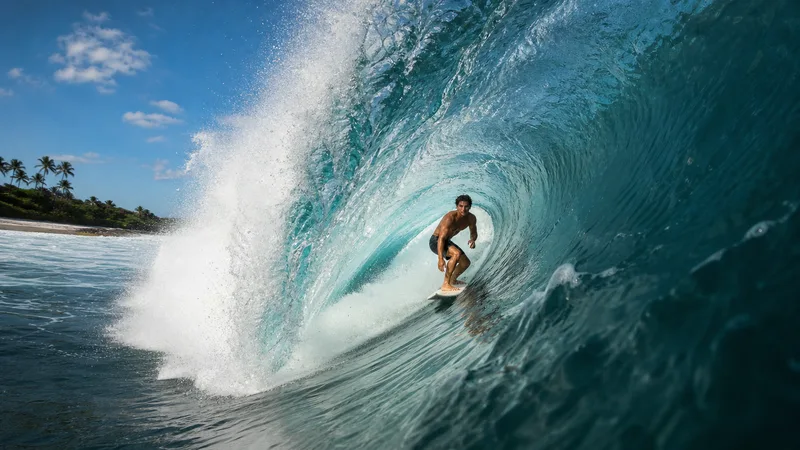
A fast, energetic clip of a surfer riding a huge barreling wave, spray flying, bright sun, dynamic camera follow.
Product motion
A hero shot with life.
A luxury perfume bottle on black stone, slow orbit camera, dramatic studio light, a subtle glint sweeping across the glass.
Ship video ads fast.
Turn a line of copy into a finished clip without a shoot, a crew, or an editor.
Feed the feed.
Generate short cinematic clips for Reels, Shorts, and TikTok from a single prompt.
Bring products to life.
Animate a product still into a scroll-stopping motion shot for the storefront.
Related products.
Veo 3.1
Google DeepMind Veo 3.1 — the highest realism in the suite, and the only model that generates synced audio with the visuals. Picked by the router when the prompt asks for "cinematic", "live action", names a real-world camera move, or needs sound.
Kling v3
Kuaishou Kling v3 — the flagship for believable motion: fluid bodies, real weight, and clean image-to-video. The router picks it when the shot lives or dies on how the movement reads.
Seedance 2.0
ByteDance Seedance 2.0 — feed it any reference (subject, style, or product) and it carries it through a clip with matching audio. A strong all-round default for longer, sound-on video.
Hailuo 2.3
MiniMax Hailuo 2.3 — takes a still and animates it with lively, characterful motion. The best value pick for product hero shots and looped stills that need personality.
Product details.
Which model does it use?
The auto-router picks for you based on the brief — Veo 3.1 for photoreal cinematic shots, Kling v3 for strong motion, Seedance 2.0 for long, reference-driven clips, Hailuo 2.3 for cheaper clips. You can always override with the model picker.
How long are the clips?
Between 5 and 12 seconds depending on the model — Seedance 2.0 goes up to 12s, Kling v3 up to 10s, Veo 3.1 up to 8s. Each model page lists its exact clip length.
Can I start from an image?
Yes. Drop a still on the canvas and run an image-to-video workflow to animate it, or start from text — both routes share the same lineup and credit pool.