
What an aging filter is here
FlowPix has no tool that adds years to a face. What it has is Quick Edit, which takes a picture you already have and redraws it from a description. To see an older version of a portrait you describe it, and you get back a new picture of the same portrait with the person looking older.
That is quick and good for trying things, and it has one cost: the whole picture is drawn again, not only the face and the hair. This page shows, on two invented portraits, what that looked like.
The result is a redrawing of the portrait, so it is an illustration and not a prediction. Look at it as one possible older version of the person, not as how they will look. It can show you one way a portrait could look with grey hair and lines, which is useful for a character, a story or a bit of fun, and it says nothing about the real future of anyone.
How to try it in FlowPix
Put the portrait on the canvas, select it and open Quick Edit in the picture toolbar. Describe how much older the person should look and ask for everything else to stay the same, then press Run. The button shows the credits the run will cost before you press it.
The result comes back as a new picture and your original is not changed. If it is not what you wanted, change the description and run it again. Only upload photos of people you have the right to edit.
There is no age slider and no selection to make. Quick Edit reads your description and the whole picture, so you say what you want in words and what must stay the same. If the first result is too light or too heavy, change only the words about the age and keep the rest of the description, so you can see what that change did.
The prompt we used
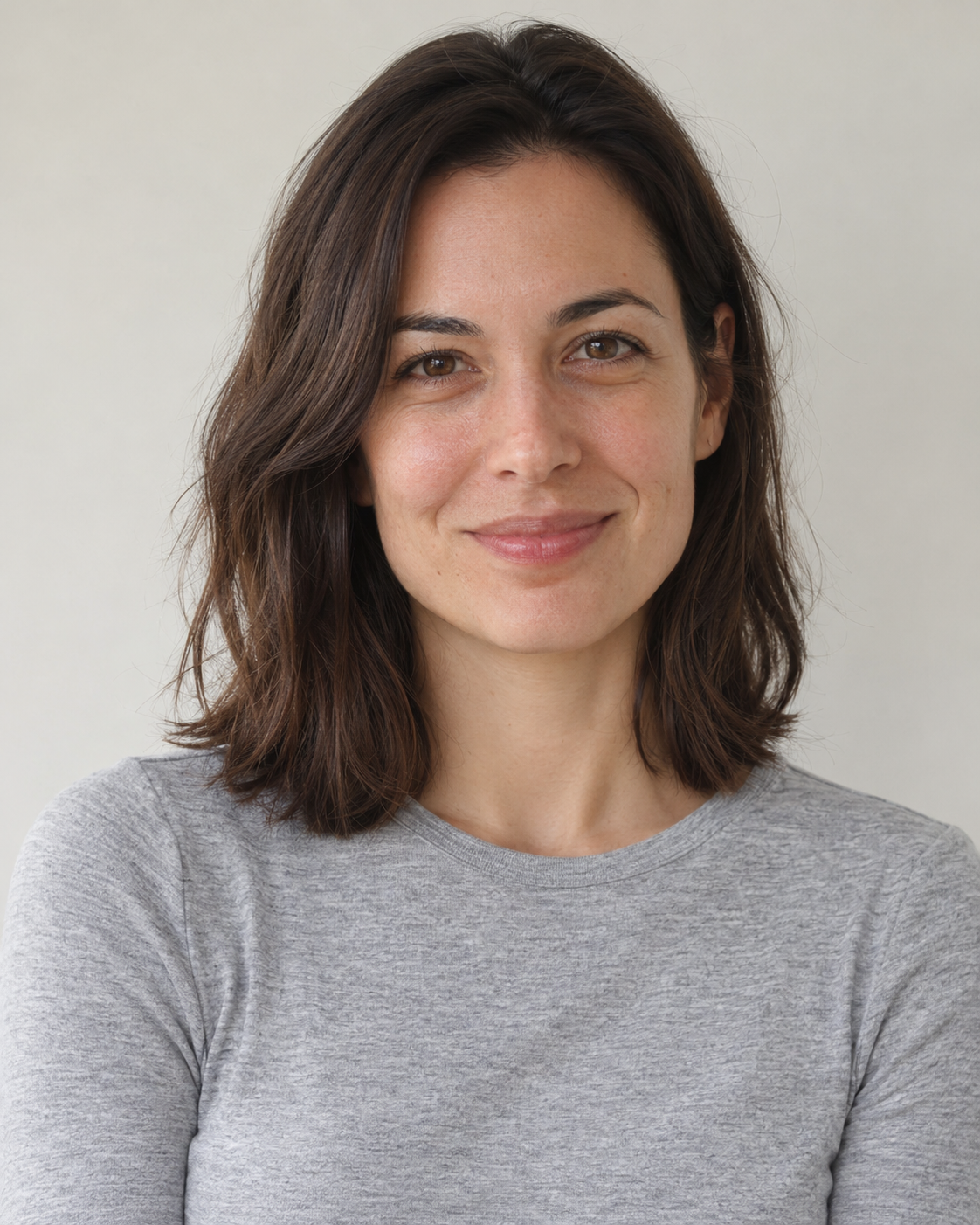
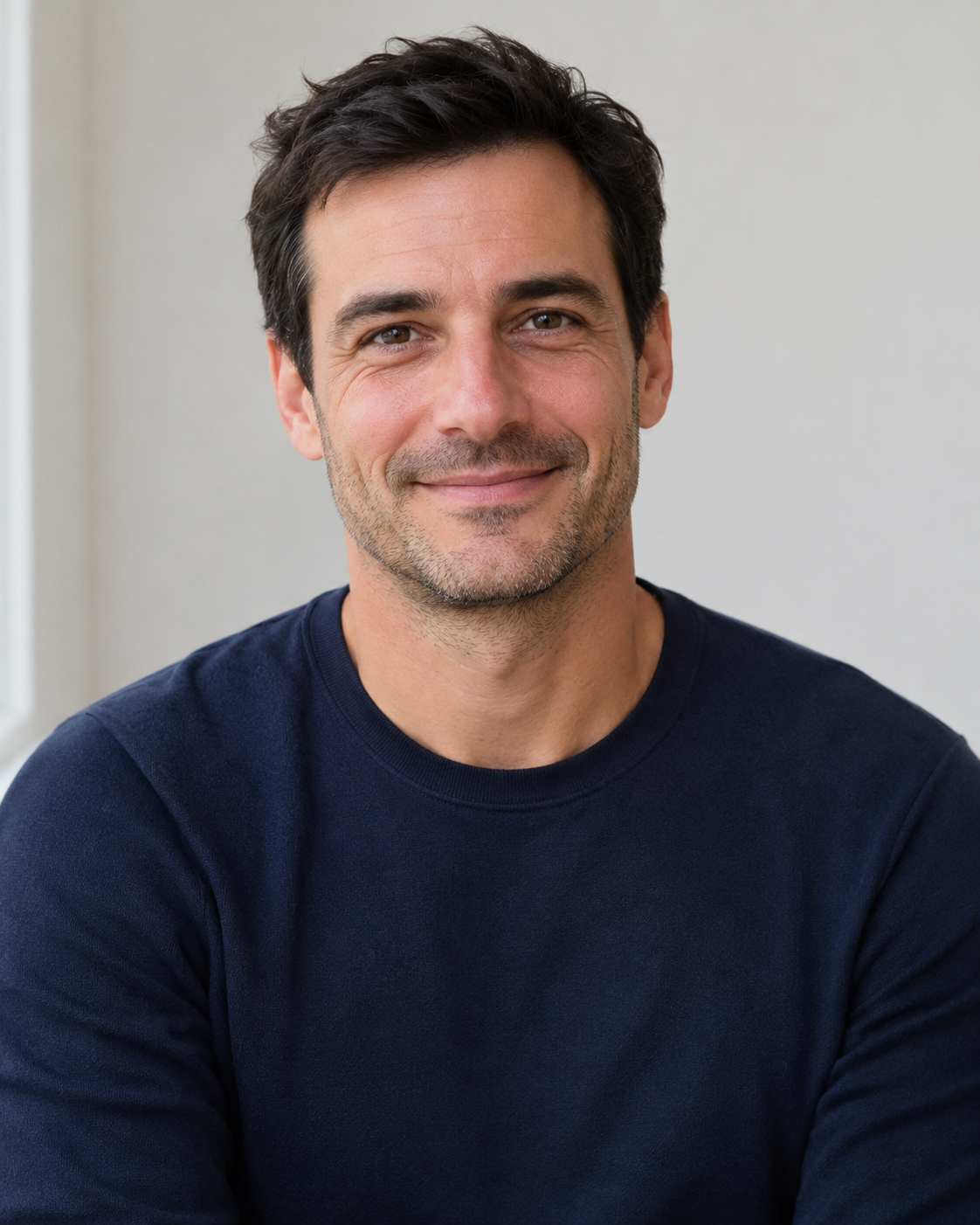
We tried one edit, one run each, on two invented portraits, a woman and a man, that we generated ourselves. The description is below, so you can copy it and change the details.
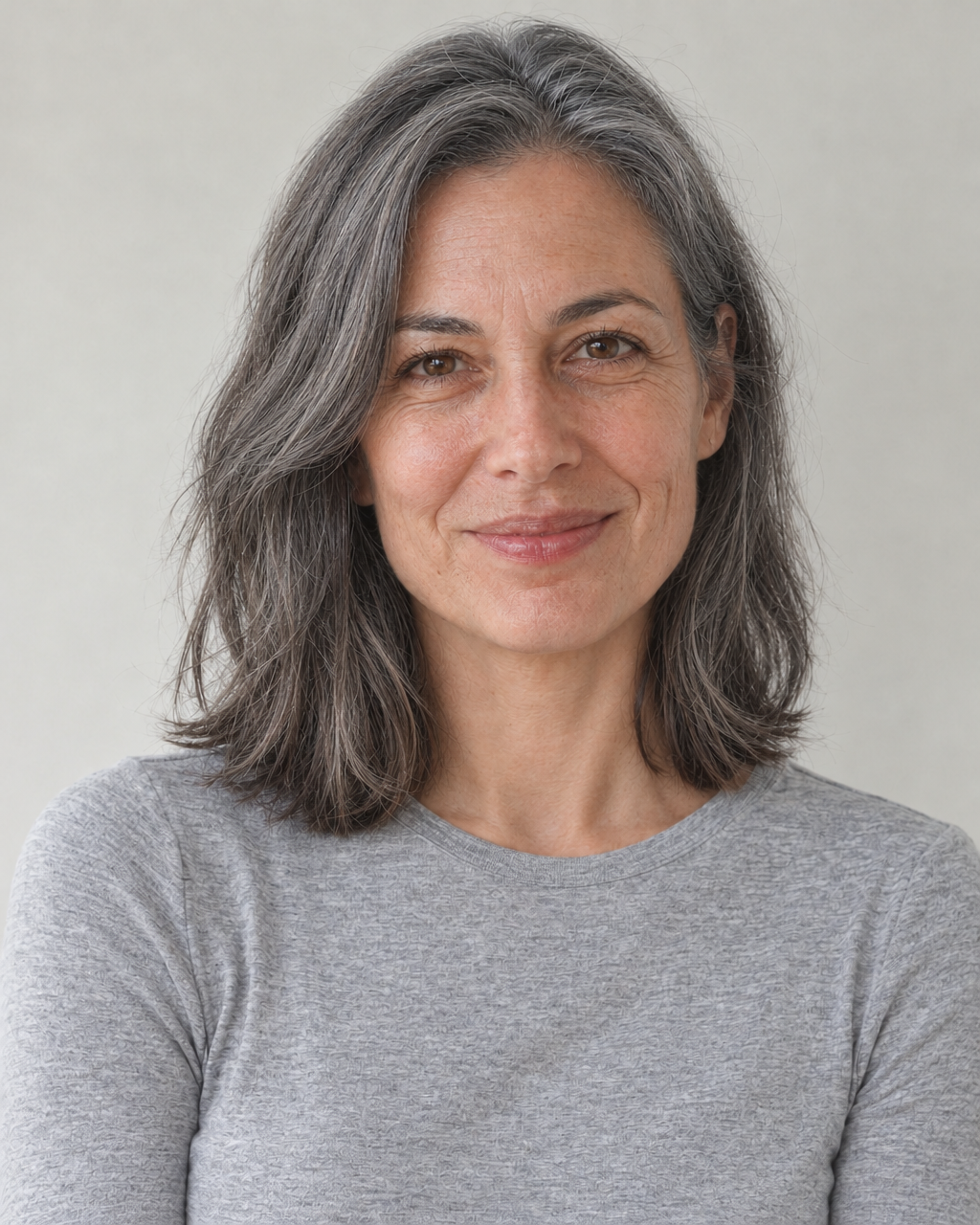
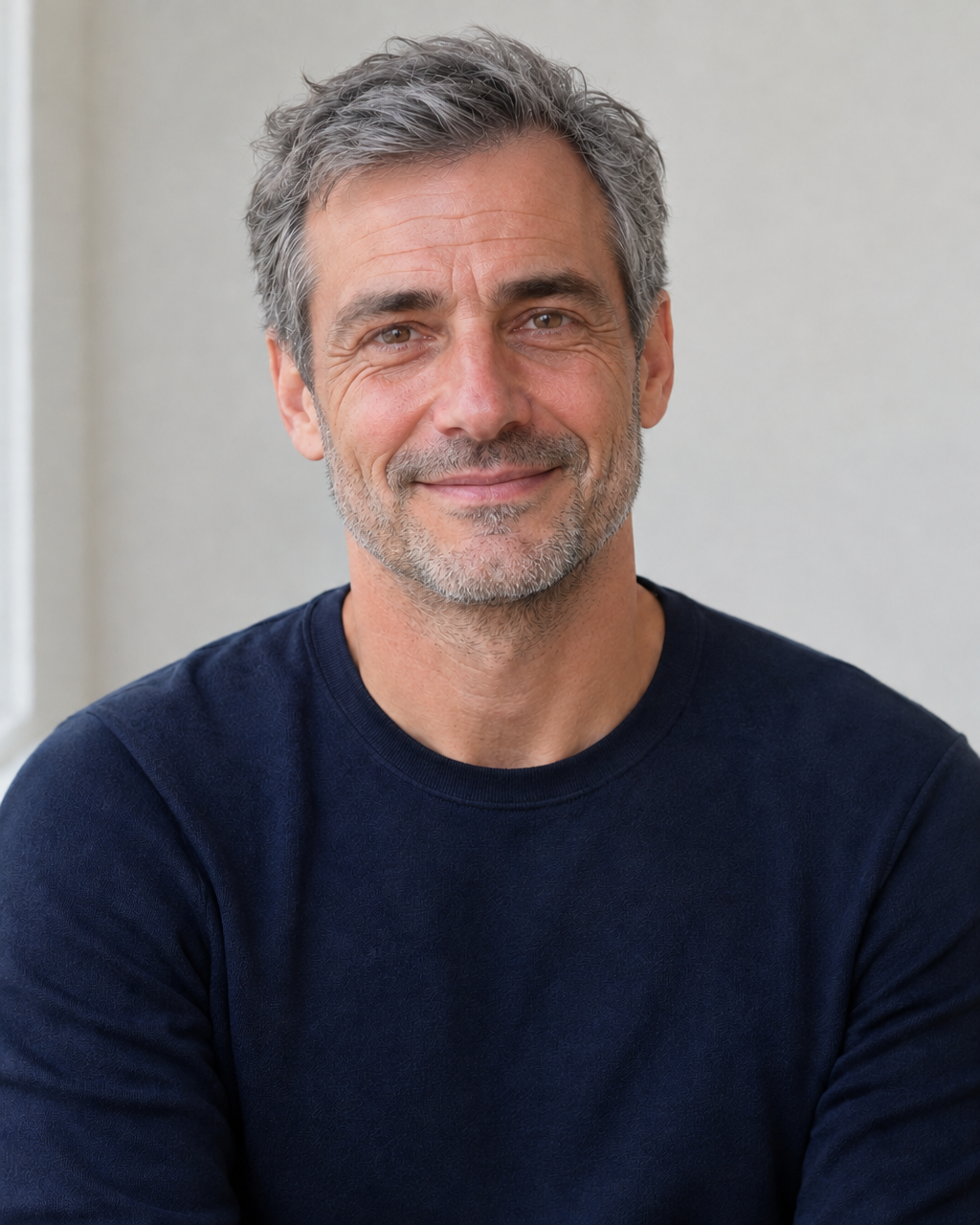
For both portraits: "Make this person look about thirty years older, with grey hair and natural wrinkles. Keep the face, expression, pose, clothes and background exactly the same."
We asked for about thirty years, grey hair and natural wrinkles. To try other ages, change those words.
What we saw
The woman came back with long grey hair and fine lines on the forehead and around the eyes, and the man with grey hair, grey in the beard and lines around the eyes. At first glance both were clearly still the same person, with the same expression, the same pose and the same clothes. We judged this by eye, on two portraits, because no face recognition tool was used.
But the pictures were redrawn. The table shows, on a scale from 0 to 255, how much each part of the picture differed from the original: the background at the sides changed very little, and the face and the clothes changed more than that. The faces were drawn again, not copied. The results are about a thousand pixels wide, whatever the size of the original.
The change was visible but moderate: it looked like some years older, grey hair and lines, and we could not say that it looked like thirty. The numbers are not the same for the two portraits, so no single figure says how close a result will be. It changes from run to run and from picture to picture.
| Portrait | Face | Background at the sides | Clothes |
|---|---|---|---|
| Woman, about thirty years older | 8 | 4 | 14 |
| Man, about thirty years older | 11 | 4 | 4 |
Ask for more or less
Because the model reads your words, the amount of change is yours to steer. We asked once for about thirty years and got a moderate change, so for a stronger effect describe more, such as deeper lines or white hair, and run it again. We did not try other ages.
Each run is a new picture and the earlier ones stay as they were, so you can try several descriptions and keep the one you like. Keep the description short and concrete, and change one thing at a time, so that you can tell which change did what.
What to check before you use it
Put the result next to the original and look at the face first: the eyes, the mouth and the shape of the face. Then look at the hair, the clothes and the edges. If something is off, run it again with a more exact description.
Keep the original and work on a copy. Do not use the result where the picture has to match a real person, such as an ID photo, a document or evidence.
If you want a character across several ages, run the same portrait once for each age and put the results side by side. Each age is a new redrawing, so the face can drift a little from one to the next. Keep every result and the original in one place, so that you can compare them again later.