What a billboard mockup is for
A billboard mockup is a picture of a big outdoor board that carries your ad design. The board might stand by a highway, hang on the side of a building, rise over a quiet street or sit on a roof. It lets you judge a design at scale instead of as a flat file, show it to a client or a landlord, and present a campaign before anything is booked or printed.
Agencies, designers and small businesses use mockups for the same reason: a flat poster on a white page does not tell people much, and a picture of a board in a place does. A useful mockup answers a few questions at a glance. Does the design read from far away? Do the colors hold against the sky or a brick wall? Is there enough empty space around the picture? This page explains how to get such a picture in FlowPix, and where the limits are.
How to make a billboard mockup with FlowPix
Open the app and attach your ad design as a reference picture. Then describe the billboard and the place the way you would brief a photographer: roadside, wall or rooftop, the time of day, what is around it, and that the design should fill the whole board. FlowPix generates a wide photo of a board that carries a version of your design. There is no mockup template to choose and no file to drag onto a fixed shape; you say what you want to see and the image generator draws it.
Treat the first result as a draft. Look at it closely and ask for changes in plain words: put the board on a wall instead, make it evening, show fewer cars. Each request produces a new picture, so you can keep what works and change one thing at a time.
Roadside, wall, street and rooftop
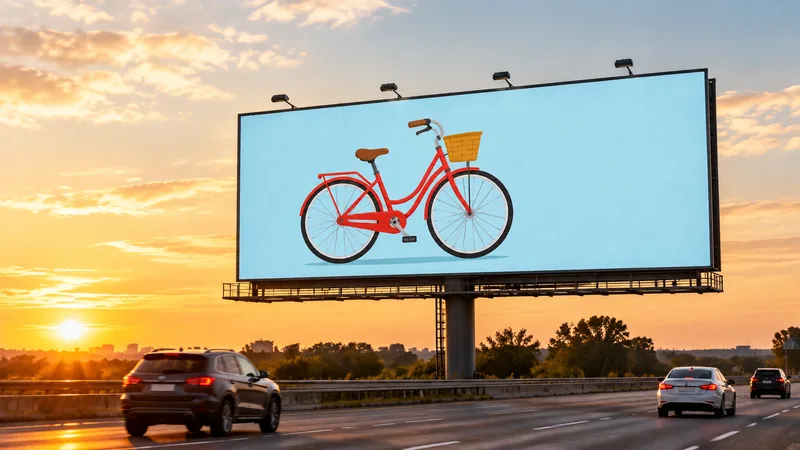
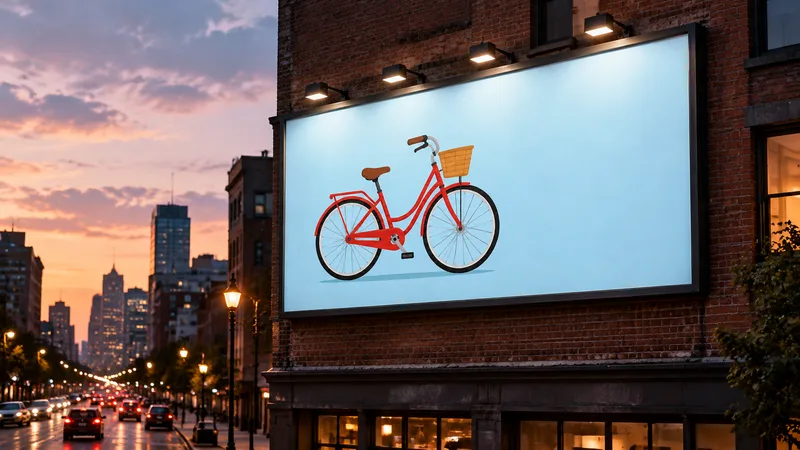
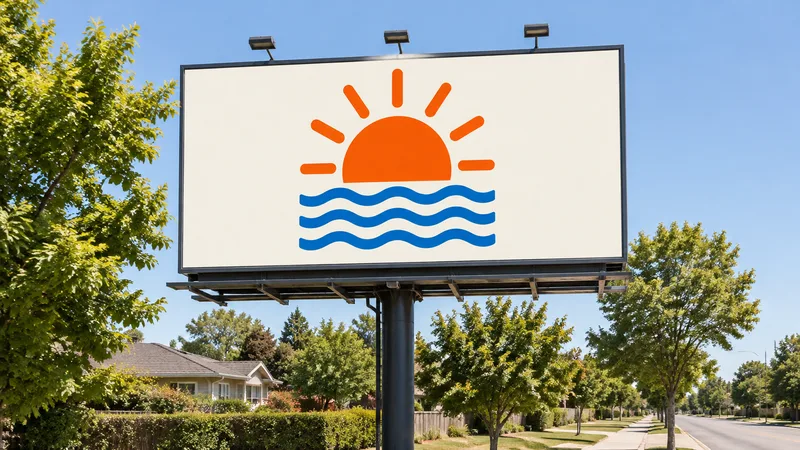
A roadside board at golden hour, with cars passing below, is the classic picture and shows a design in warm light. A board on the wall of a brick building at dusk, with street lights coming on, puts the design in a city. A board over a quiet street in daylight is the plainest scene and lets the design stand on its own.
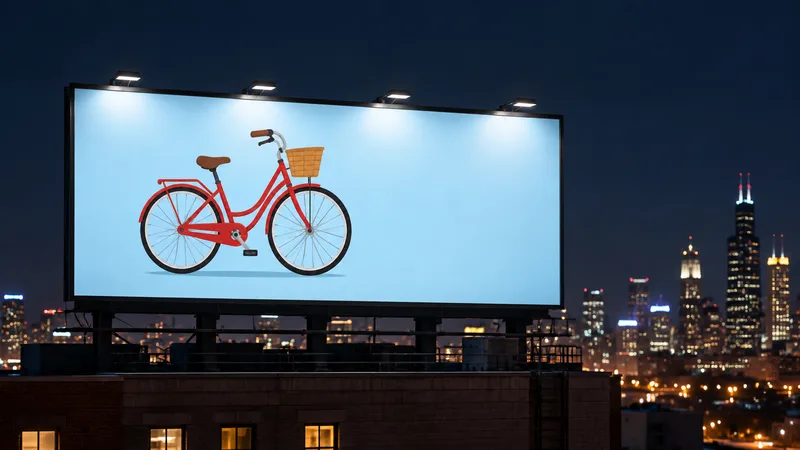
A rooftop board at night, lit by floodlights, shows how a design glows against a dark sky. A bright, simple design with a lot of empty space reads best in every one of these scenes, because a billboard is seen quickly and from far away.
What we saw in our tests
We tried four scenes with two designs: a red bicycle on a pale blue background, and a sunrise over waves on cream. Both are simple flat designs that we made for the test, with no writing in them, and the four pictures on this page are the real results of those runs, not edited afterwards. The scenes were a roadside board at golden hour, a wall board at dusk, a board over a quiet street in daylight and a rooftop board at night.
In all four the design filled the board and was easy to recognize. But the picture is drawn again each time, so the design was redrawn a little: it was the same bicycle in the same colors, but small parts such as the wheels, the spokes and the basket were drawn again in each picture. A square design on a wide board kept its own cream background and was not stretched. The boards, their frames, the lamps and the scenes are drawn by the model.
What it does not do
FlowPix does not place your file onto a fixed 3D shape, so it does not keep the exact pixels of your design. It does not know the real size, shape or lighting of a board, it is not a proof, and it is not a file for printing or for booking space, so do not use a mockup to check sizes or colors. It is also not a photo of a real place.
Our designs had no text, so we do not know how a headline would come out; it may be broken or changed, so look at the result at full size. Keep your original artwork, and ask the company that sells the space for its file rules.
Getting a better picture
Start with a simple design: one clear picture, few colors and a lot of empty space. A billboard is seen quickly and from far away, and a simple design survives being drawn again much better than fine detail. Say that the design should fill the whole board, and say what the place and the time of day are.
Change one thing at a time. If you want a different place or a different hour, say only that and keep the rest of your description the same, so you can compare the pictures side by side. Keep your original file, look at every result at full size, and use only designs you have the right to use.
Make the design first
A mockup needs a design to show. If you do not have one yet, start with our AI poster maker, which designs poster directions from a short brief. Then bring the design you chose here, and put it on a roadside board, a wall or a rooftop.