"Animate this still: [motion description]. The camera [holds steady / pushes in slowly]. Subject stays in frame."
把「什麼在動」和「鏡頭怎麼動」分開寫。兩件事分別點名,H3 都跟得住。

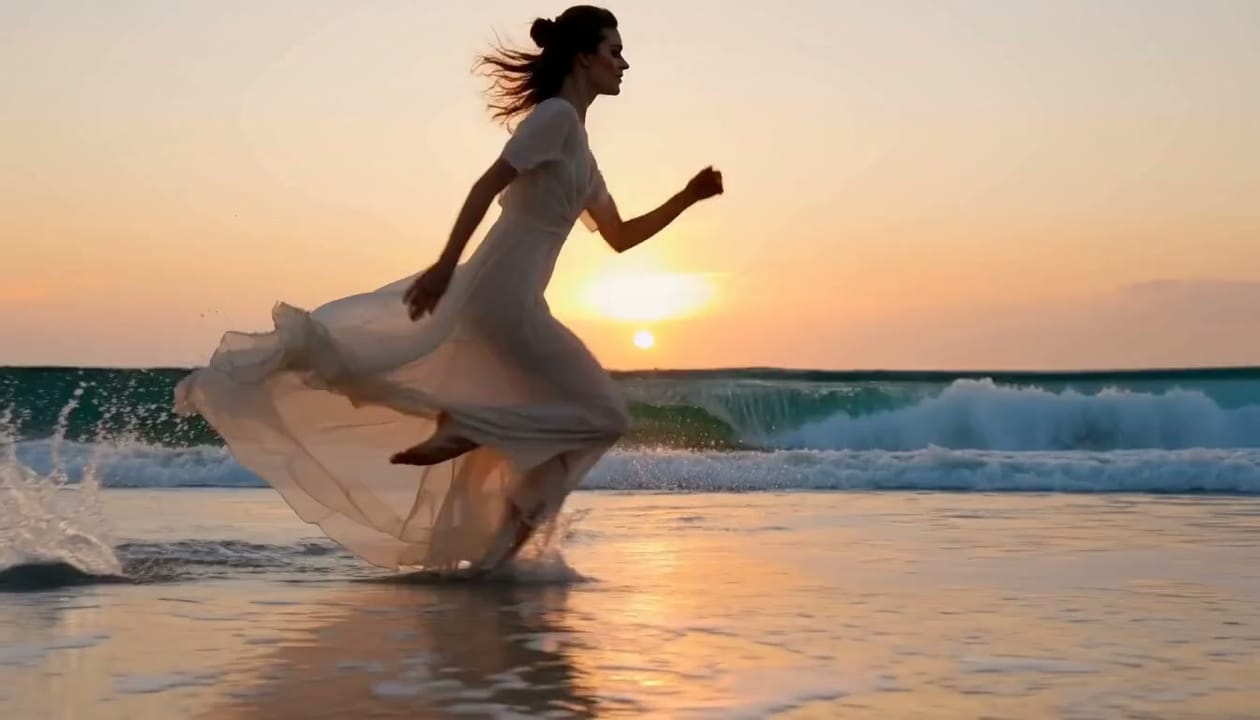
2026年11月17日在 FlowPix 上生成:片段 120 秒後返回。
"A dancer in a flowing pale dress leaps across wet sand at sunset as a wave breaks behind her; the camera tracks sideways at her speed; spray catches the low sun. Text to video, no starting image. The dancer is an invented person."
提示詞的每個部分都在片段裡:高高的跳躍、拍碎的海浪、她腳邊的浪花和低垂的太陽,並有聲音。
範例提示詞保持英文:模型對英文的效果最好。
"Animate this still: [motion description]. The camera [holds steady / pushes in slowly]. Subject stays in frame."
把「什麼在動」和「鏡頭怎麼動」分開寫。兩件事分別點名,H3 都跟得住。
"Use the product in the reference images as the subject. [Scene and motion]."
最多五張參考圖,而且前五張不額外收費——需要同一個主體跨鏡頭保持一致時,就該用它。
"[Scene]. — then set duration to 8-10s for a full beat rather than a loop."
這裡不少模型最長只到 5–8 秒。H3 可在 4 到 15 秒之間任選,足夠讓一個鏡頭真正走完。
同一系列,不同檔位。H3 原生輸出 2K,而 Hailuo 2.3 最高 1080p;H3 可在 4 到 15 秒之間任選,Hailuo 2.3 只有 6 或 10 秒;H3 最多接五張參考圖。Hailuo 2.3 是高 CP 值之選;提示詞很長、或主體需要保持一致時,用 H3。
低於 4 秒時上游照樣會做一段 4 秒的片子,所以更短的請求等於付了四秒的錢只拿到一秒。這個下限在我們這邊就擋掉了。
當你的請求正好能發揮 MiniMax H3 的強項時。在訊息裡點名它,或在輸入框裡選它;FlowPix 從不自行切換模型,你什麼都不選時就用預設的影片模型。
可以。任何對話裡的模型選擇器都能按單輪或整段工作階段固定,也可以在 /settings 裡設為預設。